
AI Visibility
Track, monitor & grow your AI mentions & recommendations
Reputation & Reviews
Control the signals AI is reading about you
Customer Intelligence
Understand your customers before AI does
Understand What Your Customers Actually Think. Automatically.
Troof's AI reads every review, survey response, and support ticket you collect, and tells you exactly what customers are talking about, how they feel about it, and how that is changing over time.
No manual reading. No spreadsheets. No guesswork. Just instant, data-backed clarity on what your customers want, what they love, and what needs fixing.
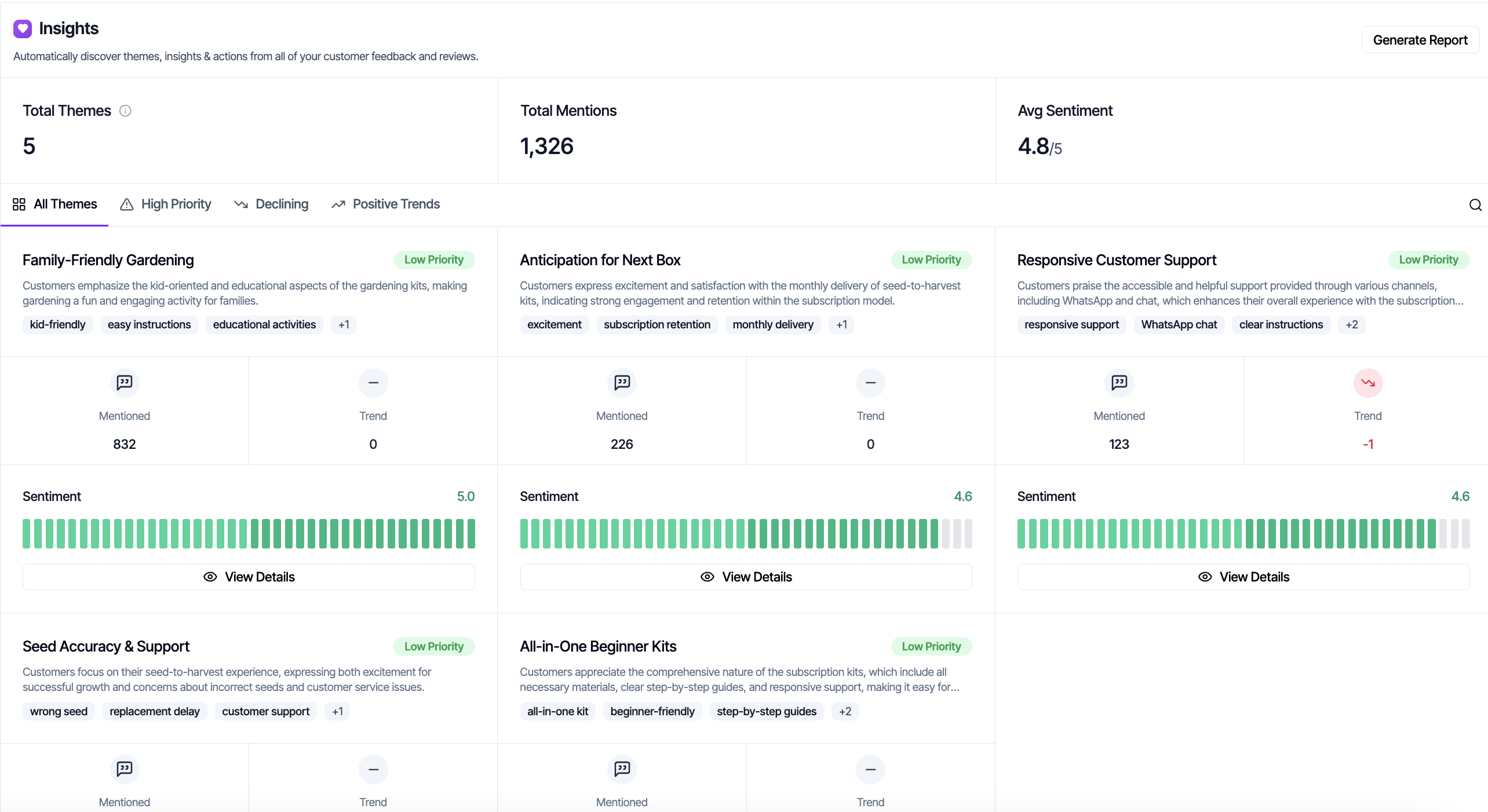
Hundreds Of Reviews. Thousands Of Survey Responses. Zero Clarity.
Your business is collecting feedback from everywhere: Google reviews, Trustpilot, surveys, support tickets, cancellation forms. But what does it all mean? What are the patterns? Which issues are getting worse? Which improvements are actually working?
Most businesses cannot answer these questions without days of manual work. Someone exports the data, tags it in a spreadsheet, tries to spot trends, and by the time they have got something useful the data is already stale.
Meanwhile, the issues customers keep mentioning quietly grow into churn, negative reviews, and the kind of public complaints that AI models pick up on and use to shape their opinion of your business. The gap is not data. You have plenty of data. The gap is understanding, fast enough to act on it.
From Data Chaos to Clear Insights in One Click
Connect Your Feedback Sources
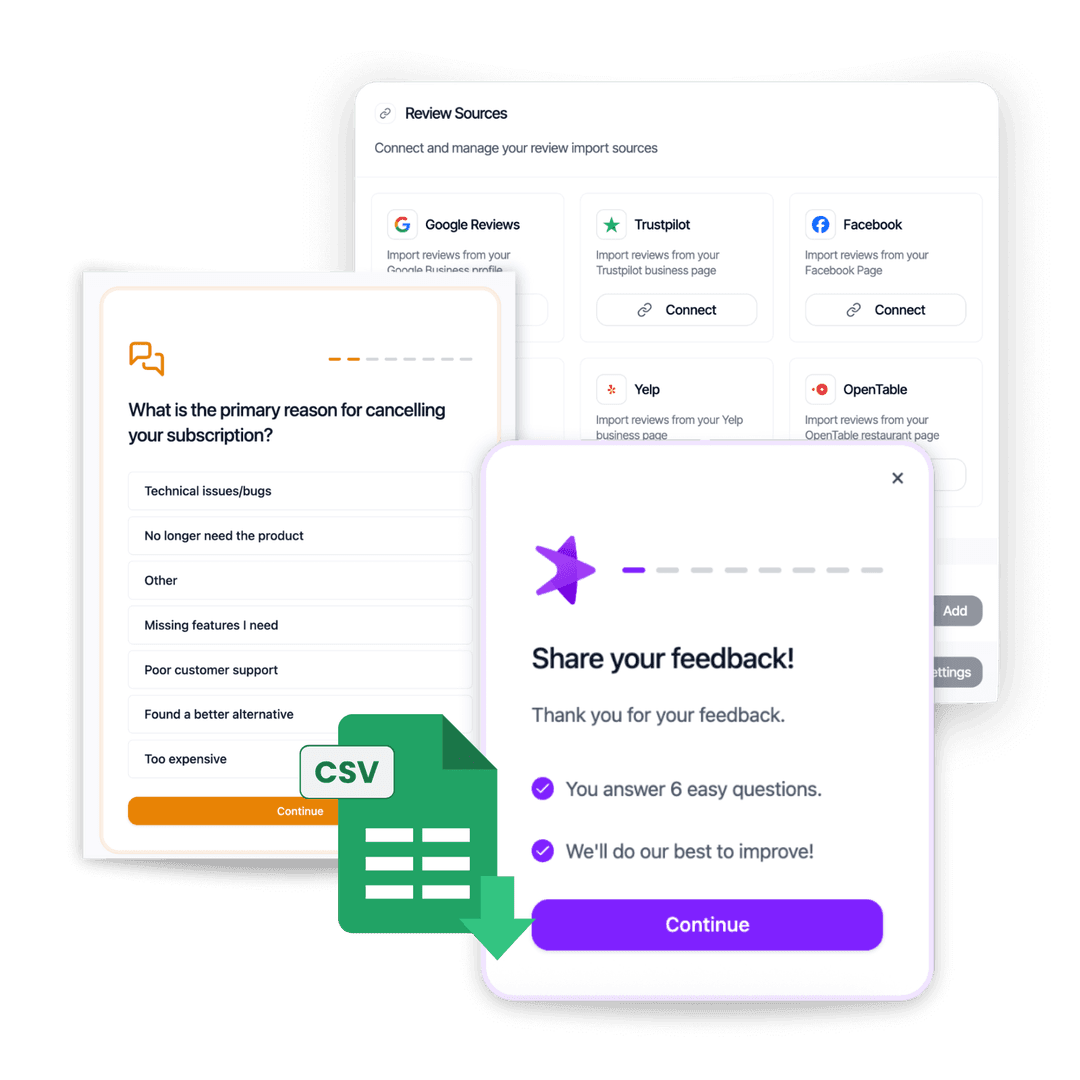
Import all your customer feedback into Troof. Reviews from Google and Trustpilot, survey responses from your forms, support tickets from your help desk: bring it all together in one place.
All your feedback, unified:
- Import reviews from all major platforms in seconds
- Sync new reviews automatically as they arrive
- Collect responses through Troof's forms and surveys
- Import support tickets from Zendesk and other help desks
- Upload historical feedback via CSV
AI Analyses Everything in One Click
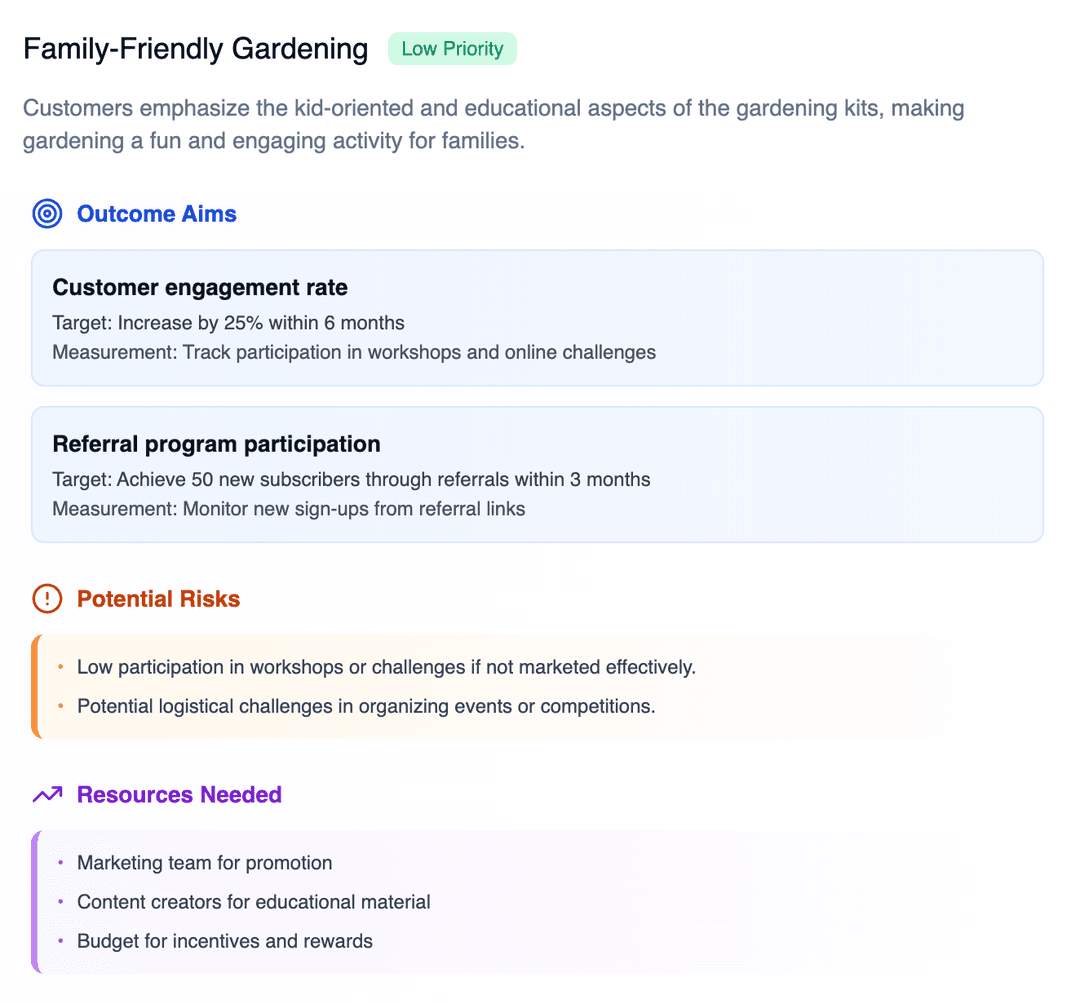
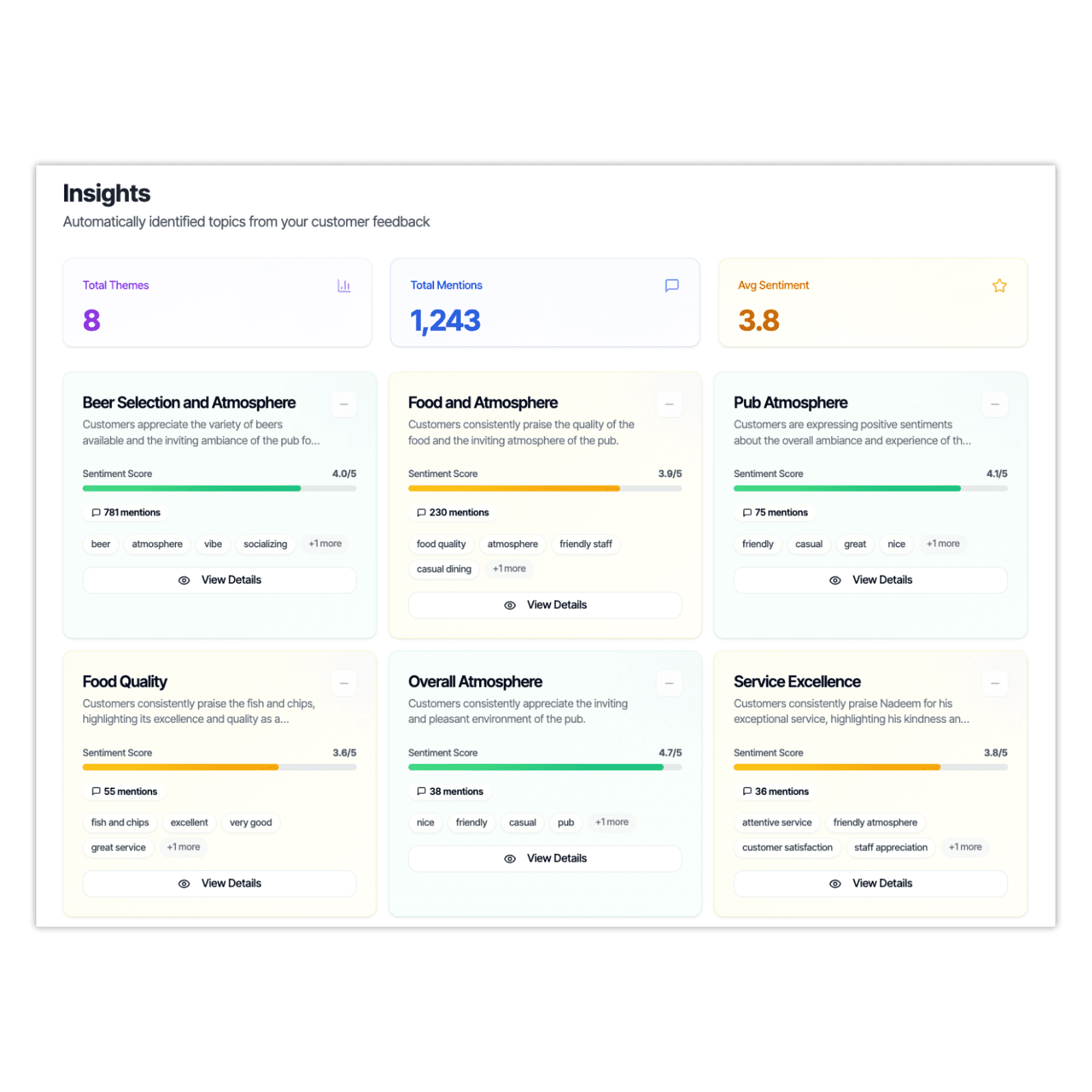
Hit Analyse and watch Troof's AI read through every piece of feedback. In minutes, it identifies the main themes customers are talking about, completely automatically, no manual tagging required.
What AI discovers:
- Main themes across all feedback automatically identified
- Each theme scored for sentiment (1-5 scale)
- Volume indicators showing how often each theme appears
- Positive, negative, and neutral examples for each theme
- Initial trends and patterns
Track Sentiment Changes Over Time
As you collect new feedback daily, Troof continuously updates your themes and tracks how sentiment changes. Watch improvements happen in real-time or catch declining satisfaction before it becomes a crisis.
Continuous monitoring:
- Automatic sentiment updates as new feedback arrives
- Trend graphs showing sentiment over weeks, months, or years
- Alerts when sentiment drops significantly
- Compare time periods to measure impact of changes
- See which themes are improving vs. declining

Take Action on What Matters Most
See a theme with low sentiment? Click to explore it deeply, build an action plan, and track the impact of your improvements. Troof shows you what to fix and proves when it is working.
From insight to action:
- Prioritise issues by sentiment score and volume
- Click any theme to explore deeper with AI
- Build action plans directly in Troof
- Monitor progress as you implement fixes
- Measure ROI of improvements
Why Automatic Theme Discovery Changes Everything.
Gone are the days of trawling through individual customer reviews and form responses looking for insights. Troof will do all of that hard work for you.
Catch Problems Before They Escalate
When sentiment starts declining for a theme, you get early warning. Fix issues when they are small problems, not after they have cost you customers and damaged your reputation.
Prove Your Improvements Are Working
Made changes based on feedback? Track sentiment over time to measure impact. No more wondering if your fixes actually helped, you will see it in the data.
Find Patterns Impossible to Spot Manually
Reading 100 reviews, you might notice a few patterns. AI reading 10,000 reviews finds themes mentioned by just 5% of customers, important issues you would completely miss manually.
Stop Flying Blind
Instead of guessing what customers care about, know for certain. Prioritise improvements based on actual sentiment data, not the loudest internal voice or gut feeling.
See Sentiment Tracking in Action
Here's a real workflow showing how businesses use sentiment tracking to drive improvement.
Problem Identification
Import 6 months of feedback (reviews, cancellation forms, tickets)
AI discovers 8 main themes
"Onboarding Experience" shows 2.9/5 sentiment
34% of churned customers mention it
Digging Deeper
Click into "Onboarding Experience" theme
See 127 customer quotes highlighting confusion
Build action plan: Redesign first-time user flow
Taking Action
- Product team redesigns onboarding
- New tutorial videos added
- Interactive walkthrough created
- Changes deployed gradually
Tracking Impact
Monitor "Onboarding Experience" sentiment weekly
Proven ROI
Sentiment Trend: "Onboarding Experience"
Weekly sentiment score (1-5 scale)
ROI Proven with Real Data
Unlike generic feedback tools, Troof lets you correlate specific product changes with sentiment improvements, proving exactly what works.
How Different Teams Use Sentiment Tracking
For Product & Development Teams
The Challenge
You are building features, fixing bugs, and improving the product, but how do you know what impact your work has? How do you prioritise what to build next?
How Troof Helps
Workflow:
- 1See which themes have the lowest sentiment scores
- 2Prioritise fixes for themes with high volume + low sentiment
- 3Build and ship improvements
- 4Monitor theme sentiment to measure impact
- 5Prove ROI with before/after data
The Outcome
Build what customers want. Justify roadmap decisions with real data.
For Customer Success & Support Teams
The Challenge
You are responding to individual customer issues all day but struggle to see the bigger picture. What are the systemic problems driving churn?
How Troof Helps
Workflow:
- 1Monitor sentiment trends weekly
- 2Get alerts when sentiment drops for key themes
- 3Investigate themes with declining sentiment
- 4Address root causes before churn accelerates
- 5Track recovery as fixes are implemented
The Outcome
Catch problems early. Reduce churn systematically.
Sentiment Alert: Customer Support
Sentiment dropped from 4.7 to 4.1 this week.
Recovery Detected
“Customer Support” sentiment rebounded to 4.6.
For Business Owners, Execs & Founders
The Challenge
You need to understand customer health at a glance and make strategic decisions about where to invest resources, but you do not have time to read through feedback manually.
How Troof Helps
Workflow:
- 1Weekly dashboard review of all theme sentiment
- 2Identify trends: what is improving, what is declining
- 3Allocate resources based on sentiment impact
- 4Track quarterly sentiment shifts
- 5Report customer satisfaction progress to board
The Outcome
Make strategic decisions based on customer reality, not assumptions.
“Troof lets us quickly see what our customers are saying and turns that insight into action. It saved so much time on manual review, so our team can focus on smarter decisions.”

Daniel Walling
Owner, Ruger Lytham
“Before Troof, we were firefighting individual issues without seeing the bigger picture. Now we catch systemic problems before they cause mass churn.”

Sarah Chen
VP of Product
“Troof replaced three tools and saved us 15+ hours per week. Instead of manually tagging feedback in spreadsheets, Troof does it automatically for us. More importantly, we are actually making improvements based on customer data now.”
Marcus Rodriguez
Head of Customer Success
Beyond Manual Tagging
and Spreadsheets
Many businesses try to track sentiment manually. It does not scale, and important patterns get missed.
Customer Sentiment That Feeds Into Your AI Visibility
Troof tracks two types of sentiment for your business. AI Sentiment Tracking monitors what ChatGPT, Claude, Perplexity, and Gemini think about you. Customer Sentiment Tracking (this page) monitors what your actual customers think, based on every review, survey, and support ticket they submit.
These two are directly connected. The themes your customers talk about, the complaints they raise, the praise they give, all of this eventually shapes the data AI models read and learn from. When customer sentiment drops on a theme like “delivery speed” or “customer support,” it is only a matter of time before that shows up in your AI sentiment too.
By tracking customer sentiment with Troof, you get the earliest possible signal. You see problems forming in private feedback before they become public reviews, forum posts, and social complaints that AI picks up on. Fix them early, and you protect both your customer experience and your AI visibility.
Customer Feedback
Reviews, surveys, support tickets
Troof Customer Sentiment
Themes discovered, sentiment scored
Public Web
Reviews, forums, social media
AI Sentiment & Recommendations
What ChatGPT, Claude, Perplexity & Gemini say about you
Troof sits at the earliest point in this chain
Find Out What Your Customers Are Really Saying
Import your feedback and discover themes automatically in under 60 seconds. Start tracking sentiment over time and understand your customers with data, not guesswork.
Free 3-day trial. Setup in 60 seconds
Explore How Troof Manages Your
AI Visibility & Online Reputation
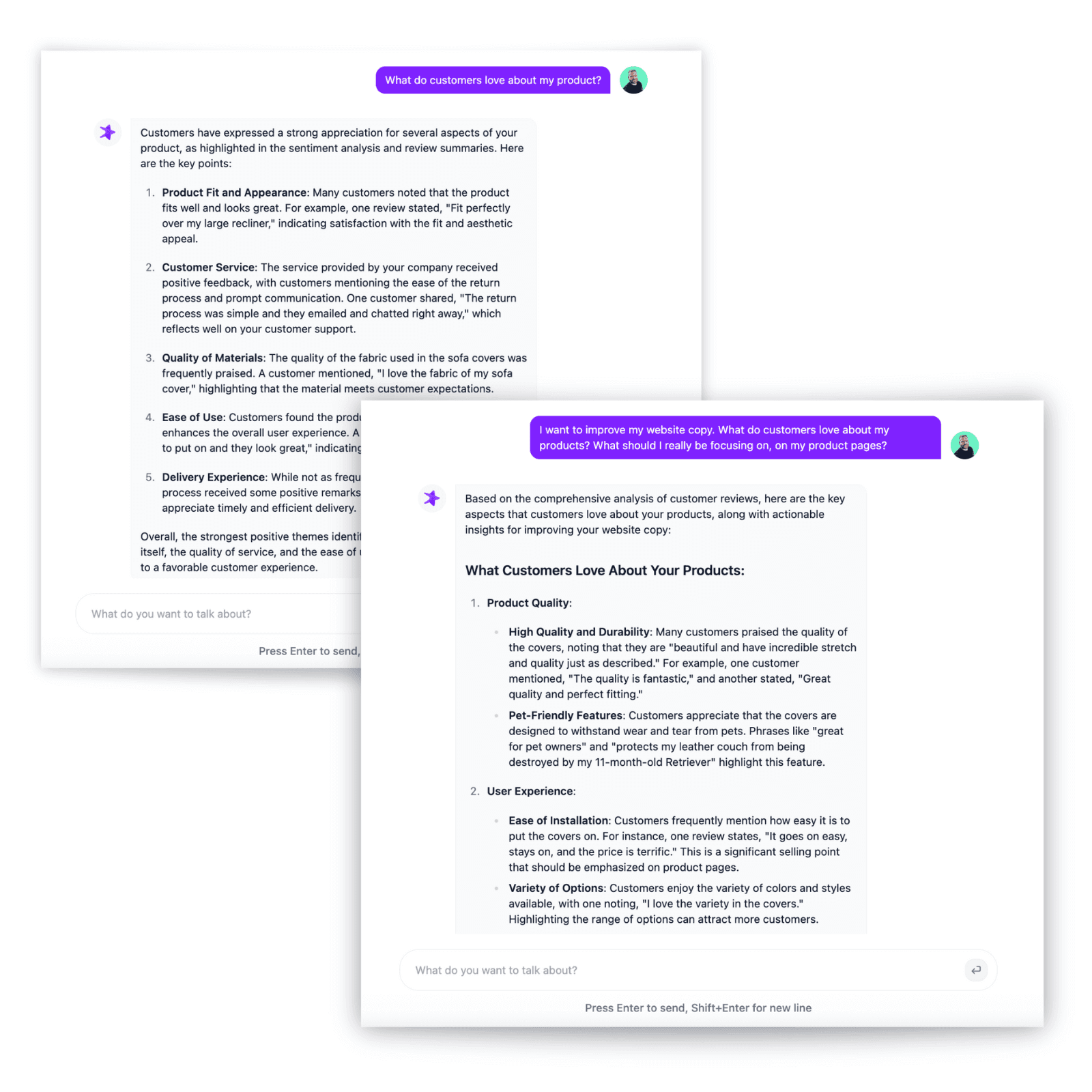
AI Chat Analysis
Ask your feedback data anything and get instant, data-backed answers. Go deeper on any theme.
Learn More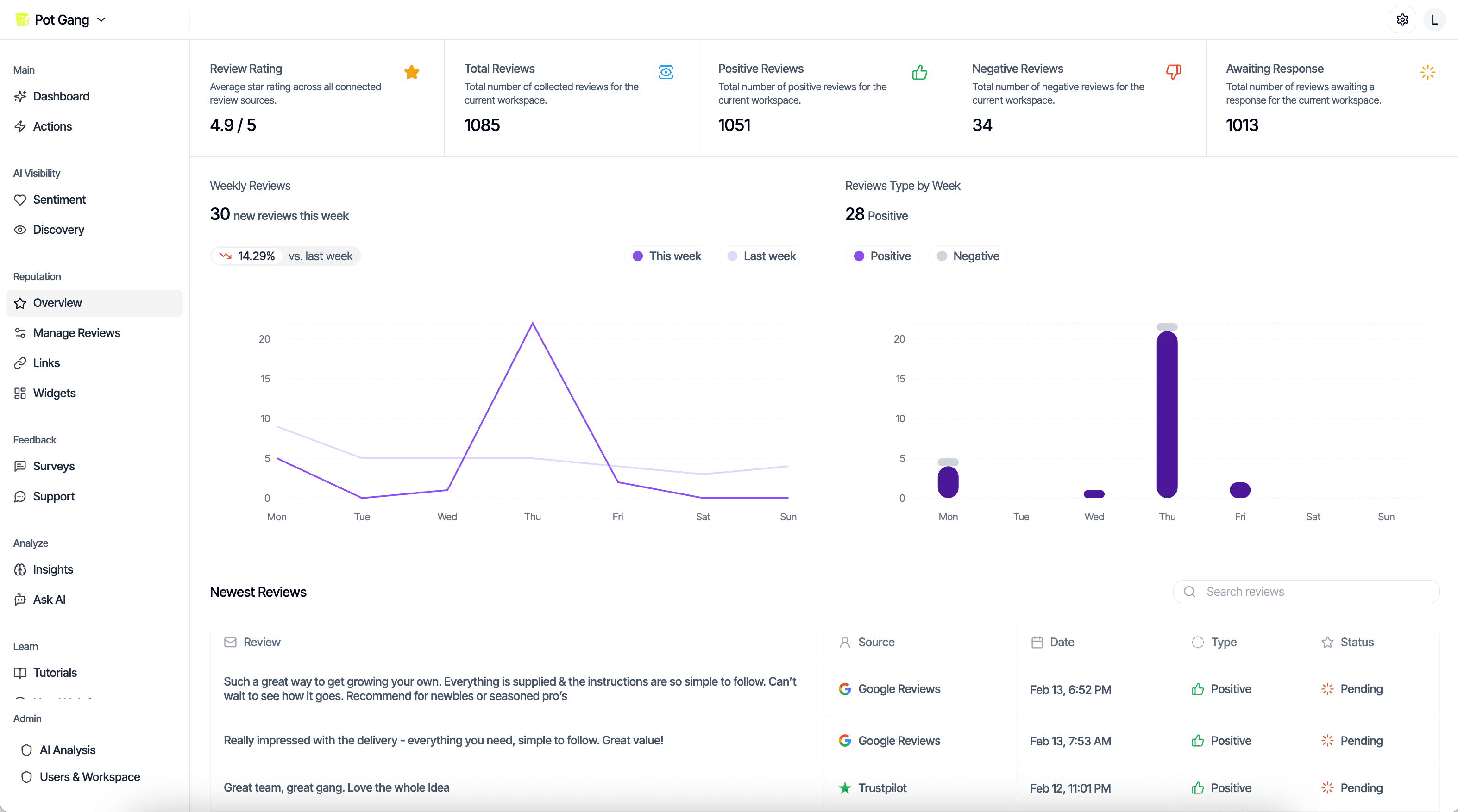
Review Collection & Management
Your reviews feed directly into sentiment tracking. Collect, manage, and respond to them in one place.
Learn More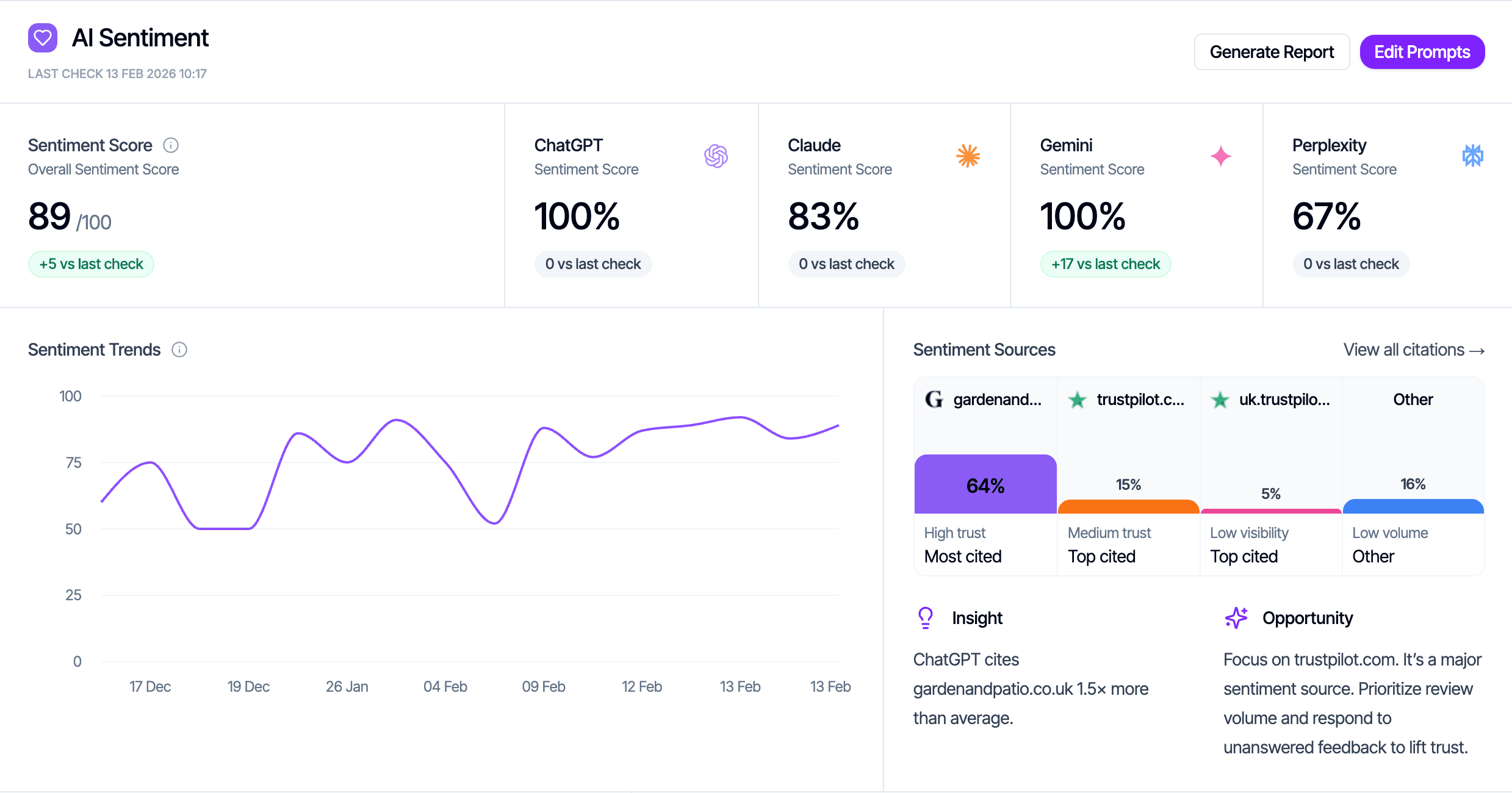
AI Sentiment Tracking
See what AI models actually think about your business, and how your customer sentiment shapes that perception.
Learn More